
核心要点
- Digital literacy is not knowing every app; it is being able to find, judge, create, communicate and stay safe with whatever device is in your hand.
- Your main email account is the master key to everything else, so protect it first with a long passphrase and two-step verification.
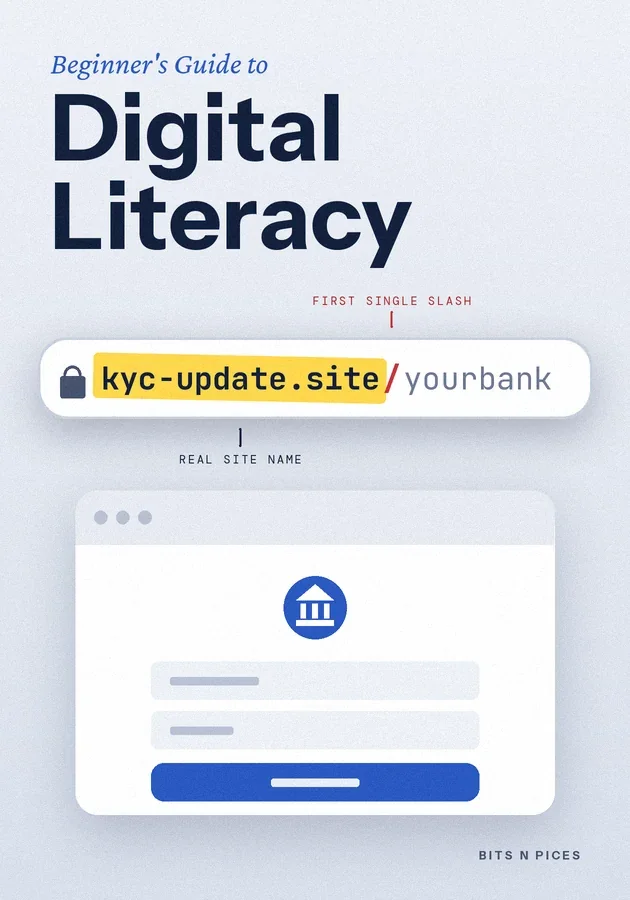
- Before you tap a link, find the real site name just before the first single slash and ask who actually runs it.
- No real bank, courier or government office will ever ask for your OTP, PIN or password, so anyone who asks is the warning.
- When a screen goes wrong, restart, read the exact message, search those words and ask a helper to show you rather than do it for you.
本篇内容
- Digital literacy is a set of skills
Digital literacy is the ability to use phones, computers and the internet to get real things done without being tricked or stuck. It is not about knowing every app or typing fast.
- Ten words that make screens less confusing
A handful of words explain most of what you see on a screen. A device is the hardware: a phone, tablet or laptop.
- Three moves to make this week
If you do only three things after reading this book, make them these. First, secure your main email account.
- Reading the web without being fooled
Anyone can build a website or forward a message, so judging what you read is a daily skill. Start with the web address.
- Classic beginner mistakes and their fixes
Most trouble comes from a few predictable slips. Using one password everywhere means a leak at one small website can open your email and your wallet too; the fix is a different passphrase for each important account, kept in a password manager, an app that remembers them all behind one strong password.
- Getting unstuck and choosing what to learn next
Every user gets stuck, including experts; the difference is a routine. When something freezes or fails, restart the app or the device first, since that clears many glitches.
六种学习方式
为本书专门编写了可视化、思维导图、练习、场景、挑战和复习模式。
测验与抽认卡
测试你的阅读成果,并通过间隔重复巩固记忆。
Bits AI
它可以根据你正在看的书籍、章节或测验题来回答。